How it works
A clearer picture of your work.
A simple daily log for yourself and your team. Write what you worked on, share updates, and look back whenever you need to.
01 / Personal
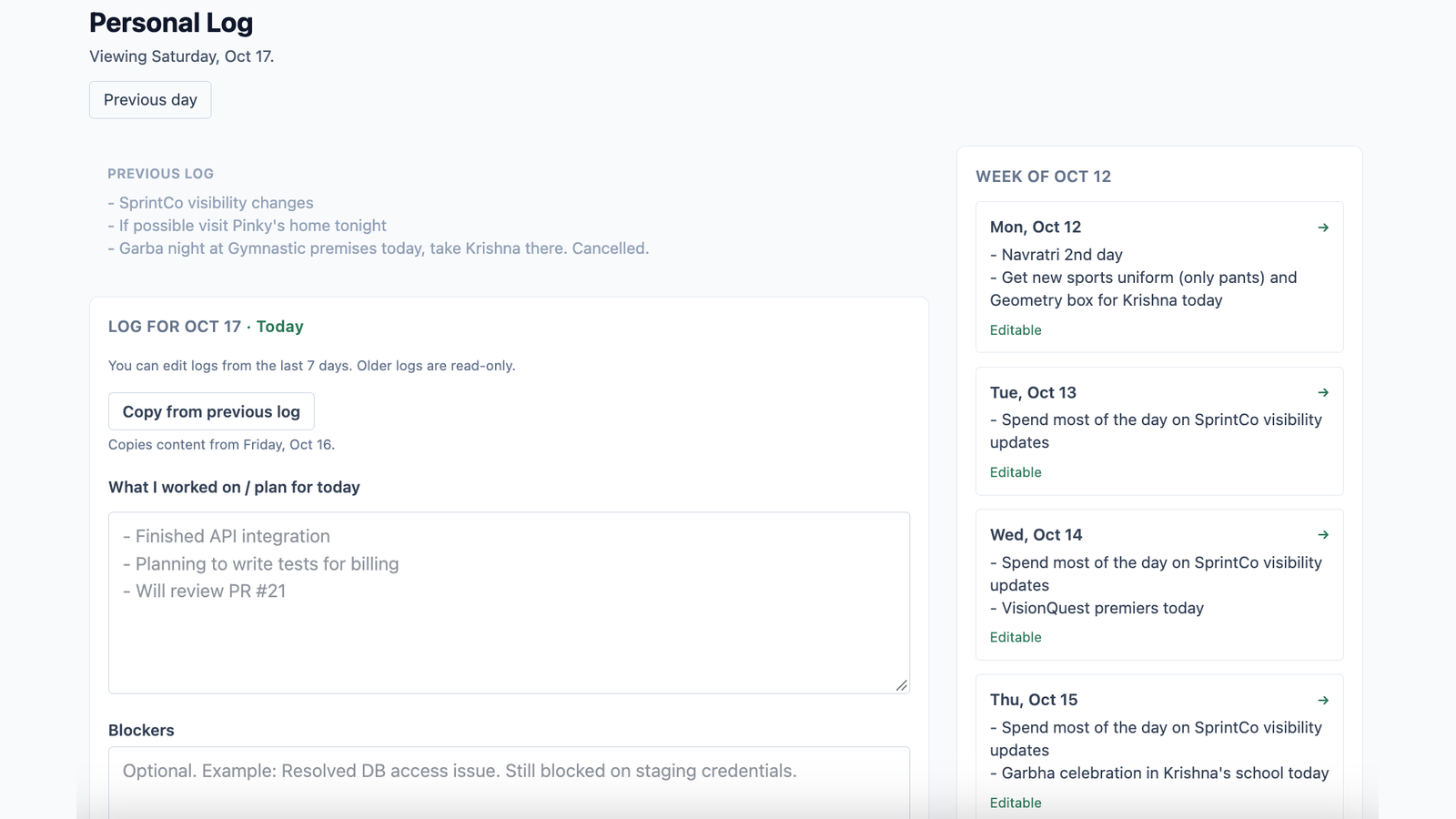
Keep a record of your day
Capture what you worked on, what you accomplished, and what needs attention. Your daily log gives you a simple record of your work without adding another complicated process to your day.
Need a starting point? Copy your previous log and update it. You don't have to begin from scratch every day.
02 / Teams
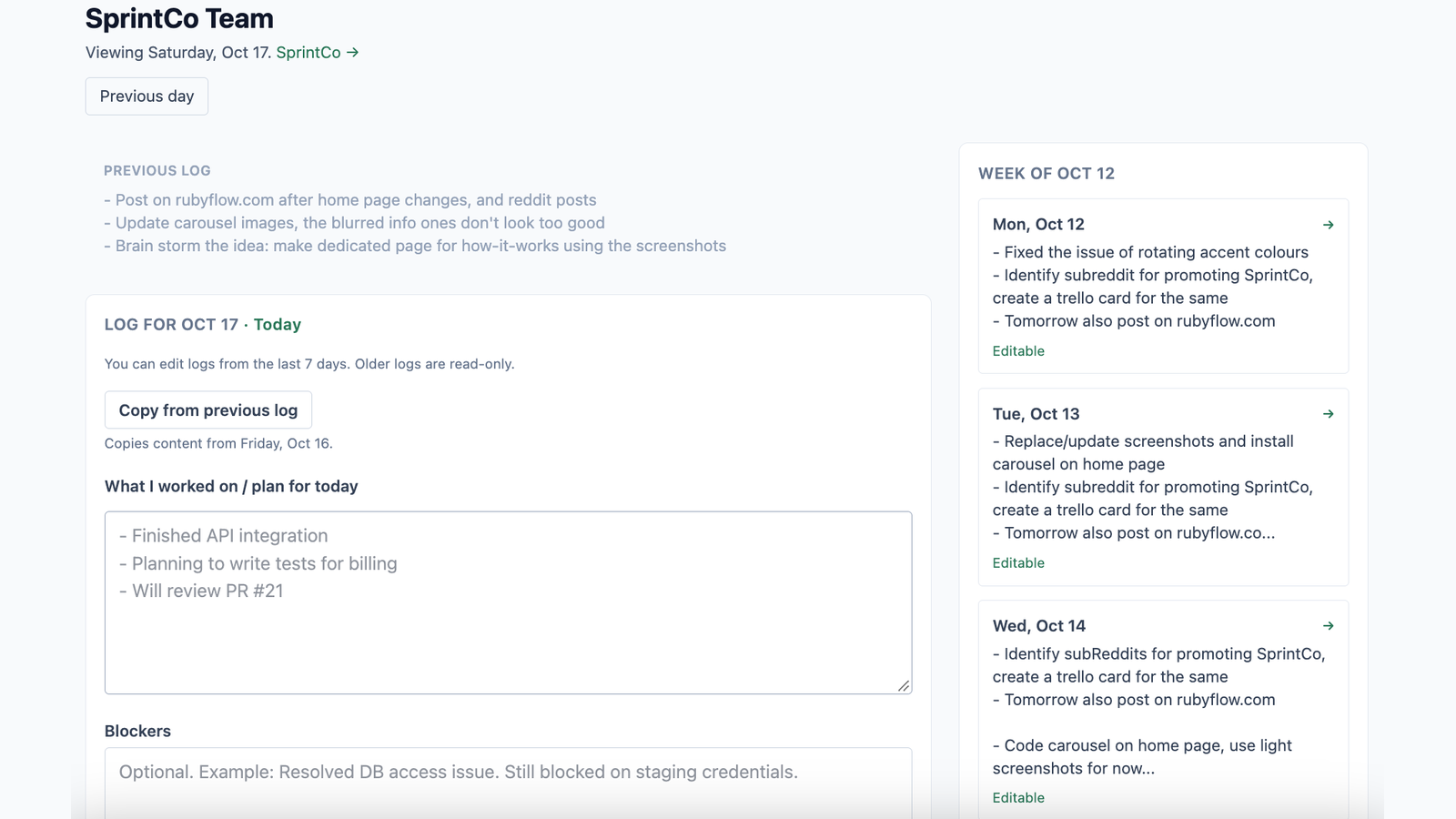
Share updates with your team
Keep personal work and team project updates in their own contexts. Write a daily update for the team you're working with, including progress and anything that needs attention.
You can belong to multiple teams and switch between them as your work changes.
03 / Today's overview
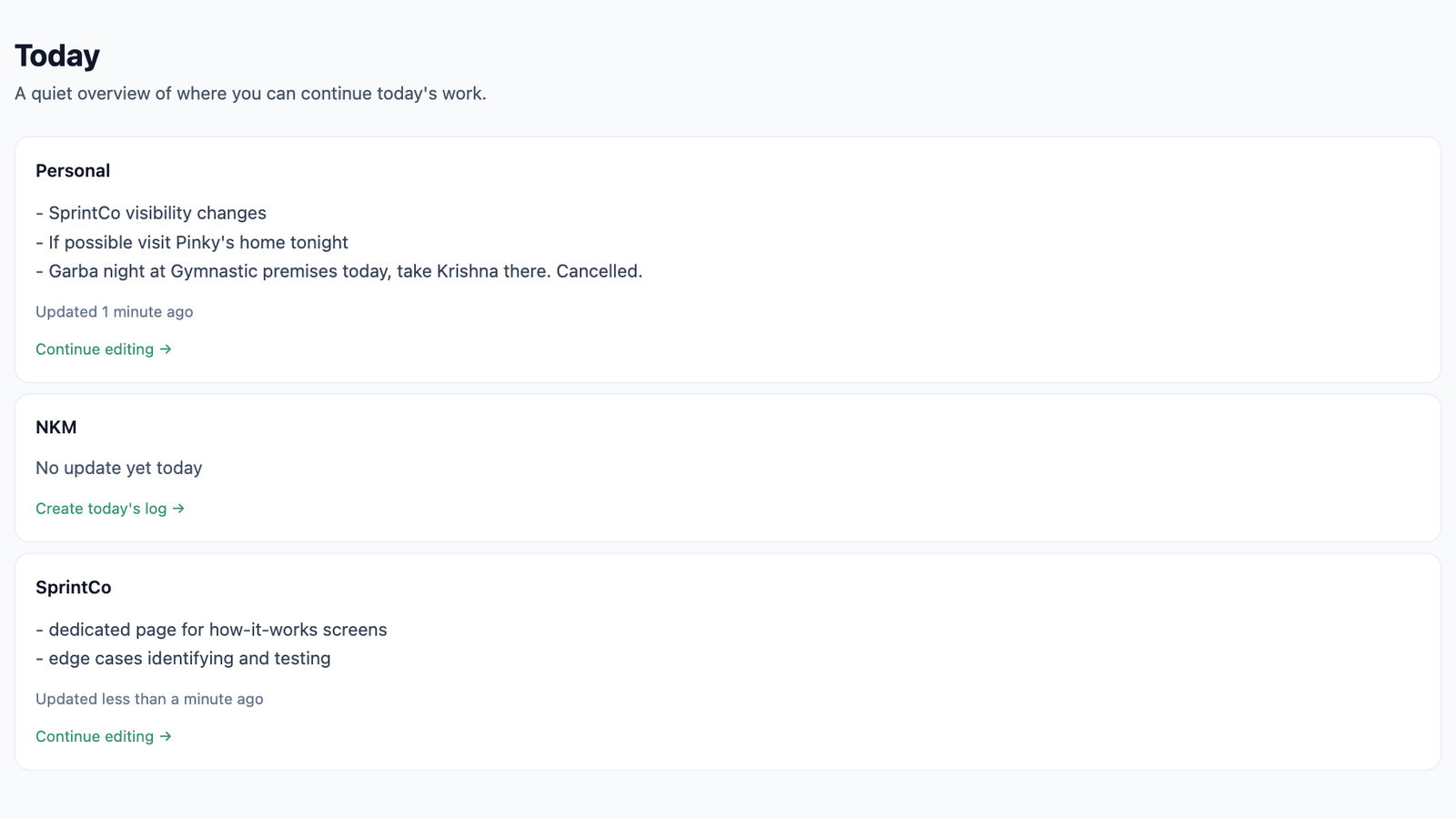
See what's happening today
The Today page brings your daily updates together, so you can review your personal work alongside updates from your teams.
Get the context you need without chasing status messages across different conversations.
04 / History
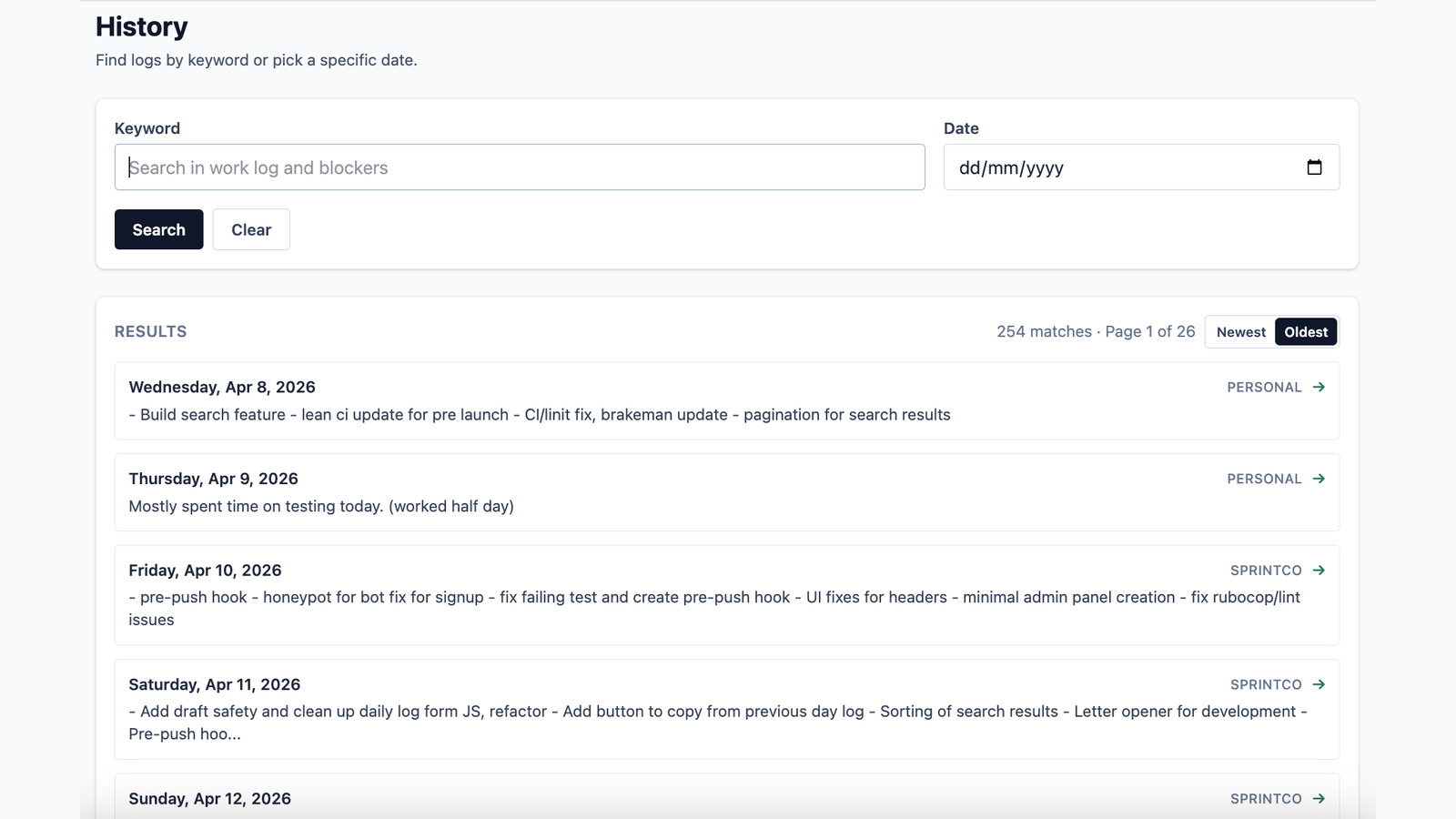
Find work you've done before
Looking for an old update or trying to remember when you worked on something? Search your history by keyword and date instead of scrolling through days of notes.
Your logs become a useful reference when you need to revisit previous work.
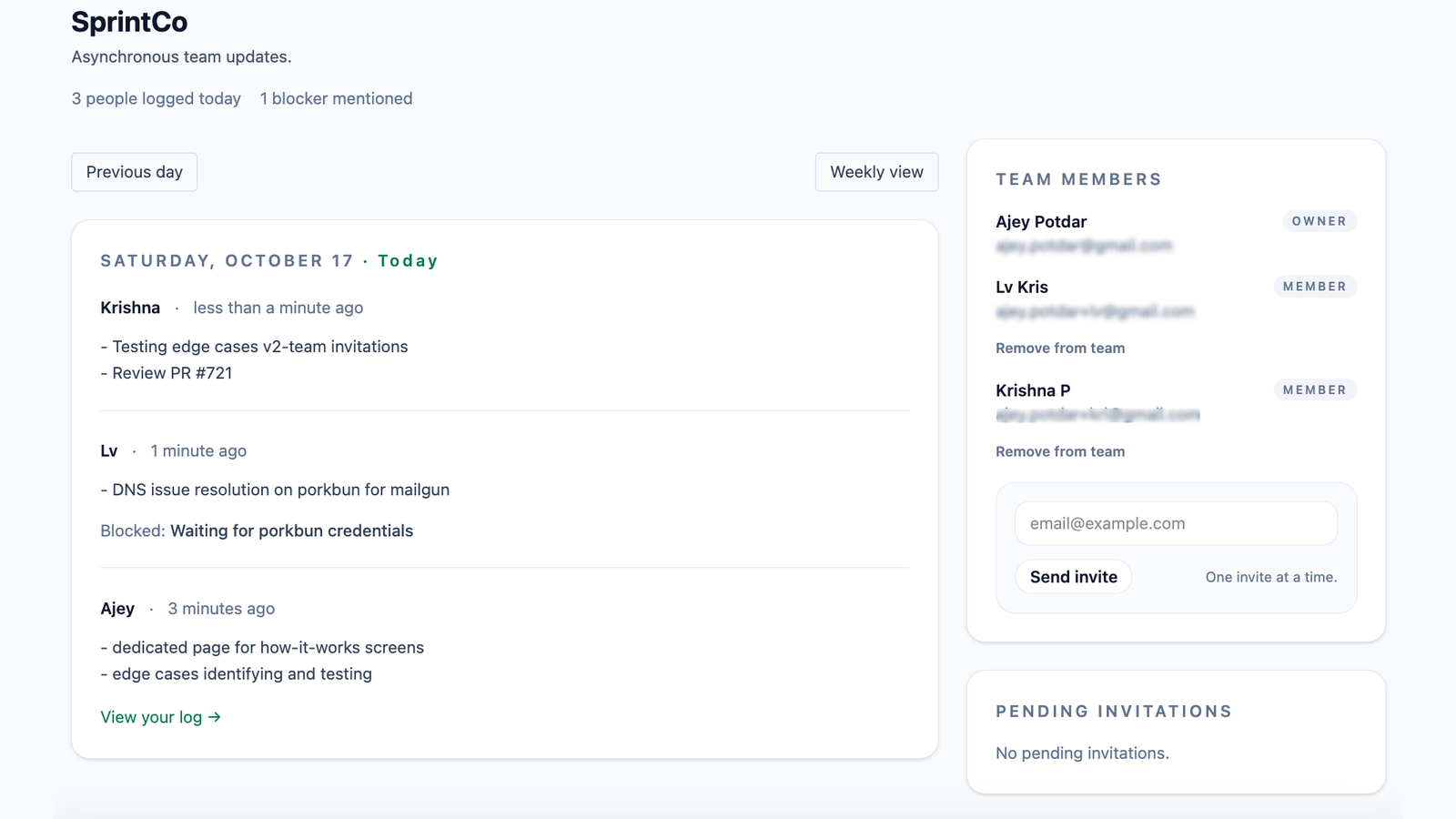
05 / Team workspace
Keep your team on the same page
See your team members, their daily updates, and any blockers they’ve reported, all in one place.
Need a broader view? Switch to the weekly view to review updates by day or team member, and look back at previous weeks.
Keep everyone informed without making another meeting the default way to share progress.
FAQs
A few things you might be wondering
What can I use my personal log for?
You can record professional work, freelance projects, personal projects, daily tasks, appointments, or everyday activities. Your personal log gives you a simple, searchable record of your activities, without adding another complicated process to your day.
What's the difference between a personal log and a team update?
A personal log is for your own records. A team update is for sharing relevant work with a particular team so everyone can stay informed. You can maintain your personal log independently while also recording updates for one or more teams. Your personal entries aren't automatically shared with teams.
Can I review my team's progress over a week?
Yes. The weekly team view lets you review updates grouped by day or team member. You can also look back at previous weeks to revisit progress and blockers.
Can I edit older logs?
You can edit logs from the last seven days. Older logs remain available as read-only history.
Can I belong to more than one team?
Yes. You can be part of multiple teams and choose the team context when writing your updates.
Do I have to start a new log from scratch every day?
No. You can copy your previous log and update it with the day's progress.
Does SprintCo track my activity?
SprintCo is built for written work updates, not employee activity monitoring. You decide what to include in your daily logs.
Ready to get started? See pricing
Make room for the work.
Keep daily updates simple, useful, and easy to revisit.
Give it a try